Create a bundle SKU
Build a kit made of other SKUs — its stock follows the components automatically.
Help ArticleUpdated June 19, 20261 min read
A bundle is a SKU made up of other SKUs, like a gift set of three jars. You do not keep separate stock for the bundle; selling one deducts each component.
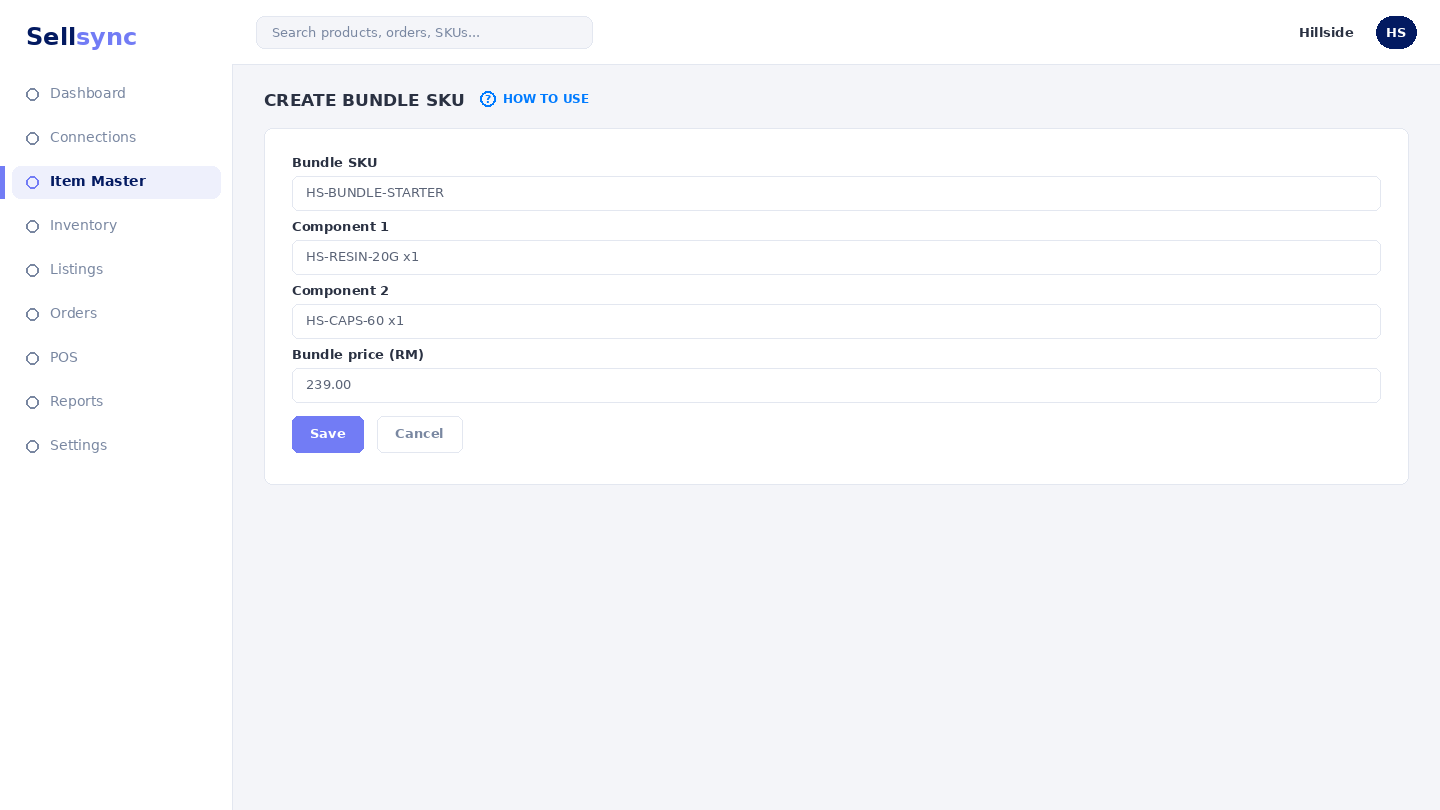
Steps
- 1Open Item Master and choose Create Bundle SKU.
- 2Give the bundle its own code and selling price.
- 3Add each component SKU and the quantity the bundle includes.
- 4Save the bundle.
- 5List it like any other SKU — its availability is worked out from its parts.
Good to know
Because stock is derived from components, you never double-count. If a component runs low, the bundle availability drops with it.
Note
A bundle's stock is worked out from its components — you don't count it separately. See deduction settings.
Was this article helpful?